Run pyaermod in Your Browser
Open the app Open the notebooks
This site runs pyaermod and AERMOD in the browser in two ways: an app with the same seven steps as the pyaermod GUI, and a set of Jupyter notebooks. Neither needs an install, a signed download or a server. Nothing you enter is sent anywhere.
Not for regulatory use
The AERMOD here is EPA's public-domain source code compiled to WebAssembly by pyaermod. It is not EPA's executable. Use it to learn, teach and explore. Use EPA's executable for permit or compliance modeling.
The app
The app at /app/ is the pyaermod GUI without
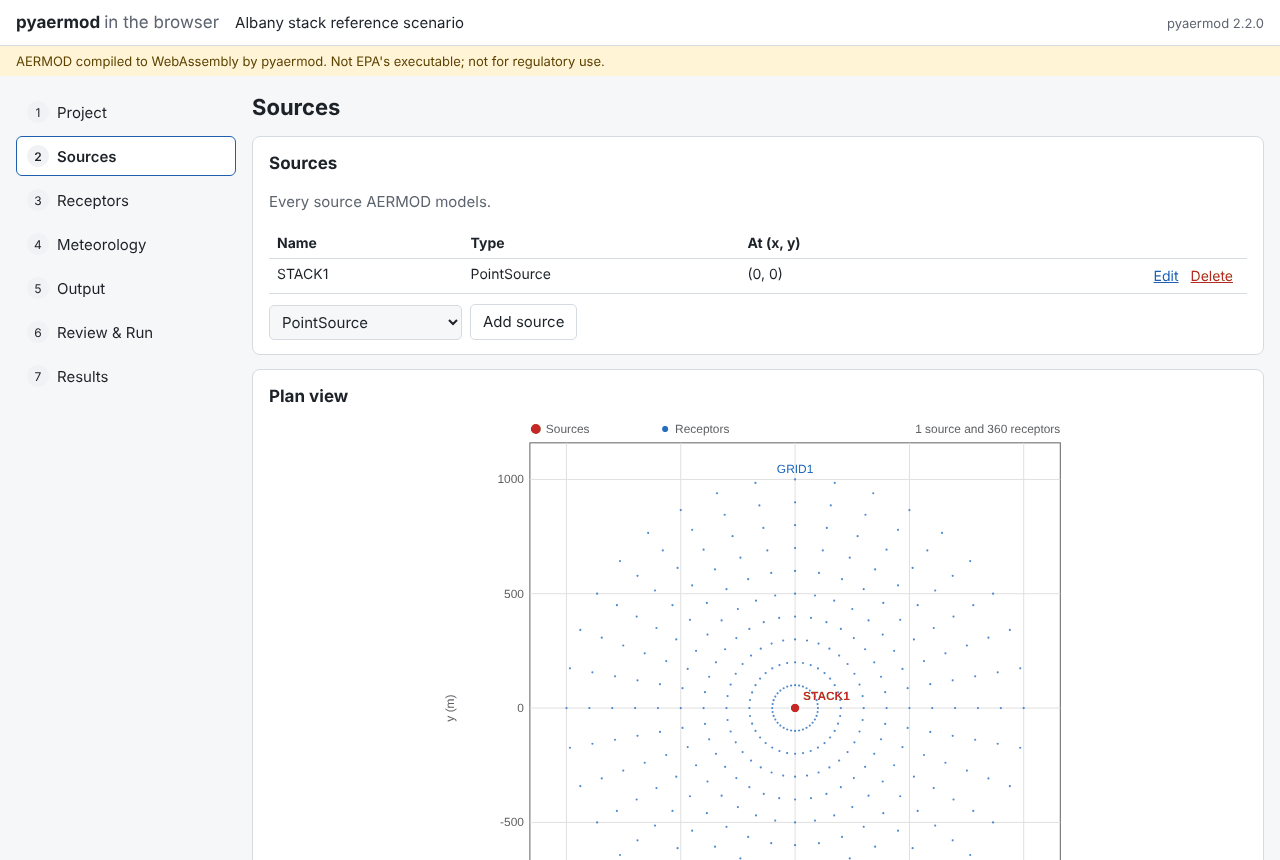
the Python install. It has the same steps as pyaermod-app: Project, Sources, Receptors,
Meteorology, Output, Review & Run and Results. Its project files are the same .json
files, so a project saved in one opens in the other.
- Meteorology. Pick one of the two samples (Albany, NY, March 1988, from EPA's
AERTEST; Houston, February 1996, with rain, from EPA's AERMET test case EX04), or upload
your own AERMET
.SFCand.PFLfiles. - Terrain. With elevated terrain, upload AERMAP's receptor or source output, or a CSV
of
x, y, elevation, hill height, on the Receptors step. A CSV row sets the receptor within 0.5 m of it, on a grid or not. AERMAP does not run in the browser. - Import deck reads an AERMOD
.inpfile. Pick the met files and any other files it names in the same dialog. Every file the deck reads is looked for by its name alone (../meteorology/a.sfcbecomesa.sfc), and a deck that has AERMOD write a file outside its own folder is refused. - Review & Run lists what still blocks a run, including files the deck names that have not been uploaded and ANNUAL averages with less than a year of met data (AERMOD would stop with error E480 after running every hour), and shows the deck. A new project averages over 1 hour and the whole period, which both samples allow. AERMOD runs in a background worker, so the page stays usable; Cancel stops the run by restarting the worker, which reloads Python (a few seconds once the browser has it cached).
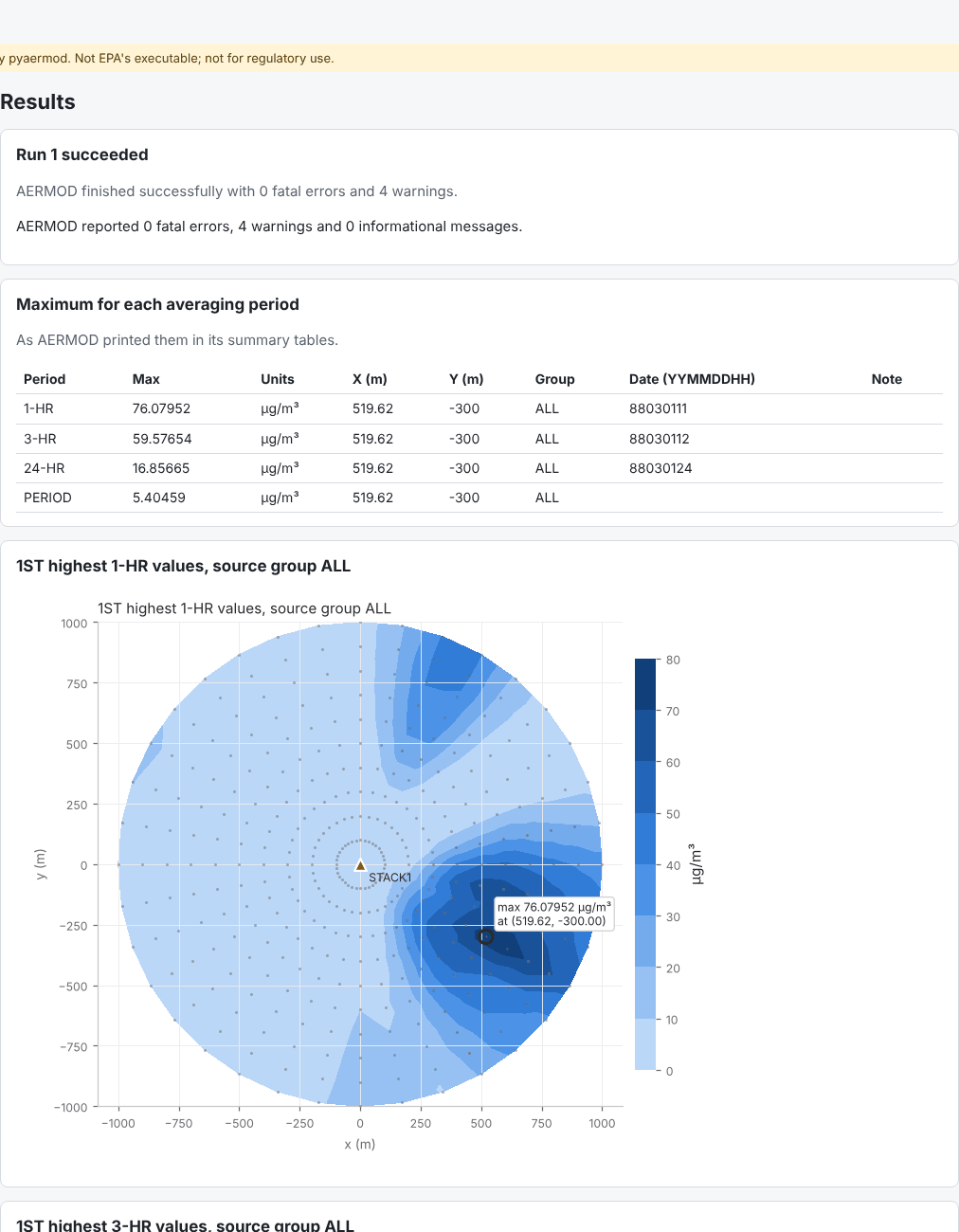
- Results shows AERMOD's maxima for each averaging period, maps from the plot files,
the NAAQS comparison, every summary table (the first 500 rows of each; download the
.outfile for all) and the output files to download.
The project and the uploaded files are kept in this browser between visits, until you clear the site's data. The first visit downloads about 30 MB (Python, numpy, pandas and matplotlib from the jsDelivr CDN, and pyaermod and AERMOD from this site); later visits use the browser's cache.
The app cannot run AERMET, AERMAP or BPIP, export KMZ or GeoTIFF files, or keep a run
history beyond the current page. For those, install the GUI (pipx install
"pyaermod[gui]"; see Install).
The notebooks
The notebooks run in a copy of JupyterLite, a version of Jupyter that runs entirely in the browser, with pyaermod and AERMOD installed. Build an AERMOD input file, run AERMOD on it and map the results in Python. The files you make stay in your browser's storage until you clear it.
| Notebook | What it does |
|---|---|
01_run_aermod_in_your_browser |
Builds a one-stack project with pyaermod, runs AERMOD and draws a contour map of the period average. Change the stack and run it again. |
02_reproduce_epa_aertest |
Runs EPA's AERTEST example and compares every receptor's 1-hour concentration with EPA's published values. |
Both use four days of meteorology from Albany, NY (March 1988), the data that EPA ships
with its AERMOD test cases. To use your own data, upload your AERMET .SFC and .PFL
files with the file browser's upload button. Then set surface_file and profile_file
in MeteorologyPathway to their names.
How it is checked
AERMOD is compiled with LLVM Flang, patched by the webR project to produce WebAssembly,
and Emscripten (scripts/build_aermod_wasm.sh). On every change to that build, the
WebAssembly AERMOD workflow does the following:
- It runs pyaermod's real-AERMOD tests against the build. These tests compare AERTEST's 1-hour concentrations with EPA's published values (they must agree within 0.01 % at all 144 receptors). They also check that pyaermod reads AERMOD's fatal setup and runtime errors correctly.
- It runs AERTEST again through pyaermod inside Pyodide, the Python that runs in the browser, under Node. This is the same path the notebooks take.
At AERMOD version 26135, the browser build reproduces EPA's AERTEST values exactly.
Two changes to EPA's source are needed for Flang:
- AERMOD 26135 calls
DSIND,DCOSDandDTAND. These are gfortran's double-precision degree functions, which Flang does not have. The build replaces them with the Fortran 2023 functionsSIND,COSDandTAND, which give the same results for AERMOD's double-precision arguments. - Flang gets one Fortran runtime call wrong when it compiles for WebAssembly: the call
behind
INQUIRE (..., OPENED=)andINQUIRE (..., EXIST=). A small C shim (scripts/wasm/inquire_shim.c) makes that call correctly. The build stops if any other runtime call does not match.
Flang's runtime also differs from gfortran's on one kind of input file. AERMOD steps back
one line in the surface file every hour, and Flang cannot step back over a last line that
has no line ending. EPA's executable reads such a file, so before each run pyaermod adds
the missing line ending to the surface and profile files the deck names. Flang's runtime
also leaves AERMOD's scratch files, ERRMSG.TMP and EVENT.TMP, where EPA's executable
deletes them, so pyaermod deletes them after each run.
What does not work in the browser
- AERMET, AERMAP and the other EPA programs are not compiled. Bring AERMET output files, and give receptor elevations directly.
- Terrain and met-data downloads usually fail, because most data servers do not allow requests from web pages.
- Background runs (
AERMODRunner.startandrun_batch) need threads or processes, which the browser's Python does not have. UseAERMODRunner.run. - Time limits. A run has none. In a notebook it cannot be stopped, and the notebook does not respond until it ends; in the app the page stays usable and Cancel stops it. Keep grids and met periods small.
Build the site yourself
The steps are in CONTRIBUTING.md.